
Sale receipts
A sale receipt contains only sale items. Send it when a customer completes a purchase, so the receipt can appear in their Kivra inbox and remain available for later reference.
Configure the receipt
Section titled “Configure the receipt”| Option | Purpose |
|---|---|
business_unit |
Describes the store. Omit service_id to create or resolve it automatically. |
receipt_identifier |
Supplies the POS receipt number |
time_of_purchase and currency |
Describe when and in which currency the sale happened |
items |
Contains objects with a sale key |
totals and payments |
Represents net, VAT, gross, paid amount, and tender |
customer |
Adds an SSN, email, phone, or card token for matching |
{ "business_unit": { "organization_number": "556838-8200", "name": "Example Retail AB", "external_id": "EXAMPLE-STORE-001", "contact": { "address": { "street_address": "Example Street 1", "locality": "Stockholm", "postal_code": "11122", "country_code": "SWE" } } }, "sales_recording_system": {"id": "POS-1", "name": "Example POS"}, "receipt_identifier": {"sequence_number": 123456}, "time_of_purchase": "2026-09-01T10:30:00+02:00", "currency": "SEK", "totals": { "gross": {"amount": 125}, "vat": { "amount": 25, "sub_totals": [{"amount": 25, "taxable_amount": 125, "net_amount": 100, "tax_percentage": 25}] }, "paid": {"amount": 125, "received": 125, "returned": 0} }, "items": [ { "sale": { "identifiers": [{"identifier_type": "pos", "value": "ITEM-001"}], "description": "Example product", "quantity": {"value": 1, "unit": "ea"}, "regular_sales_unit_price": 125, "extended_amount": 125, "tax_percentage": 25, "tax_amount": 25, "sequence_number": 1 } } ], "payments": [{"amount": 125, "amount_applied_to_bill": 125, "tender": {"cash": {}}}], "customer": {"id": {"phone": "+46700000000"}}}What the recipient sees
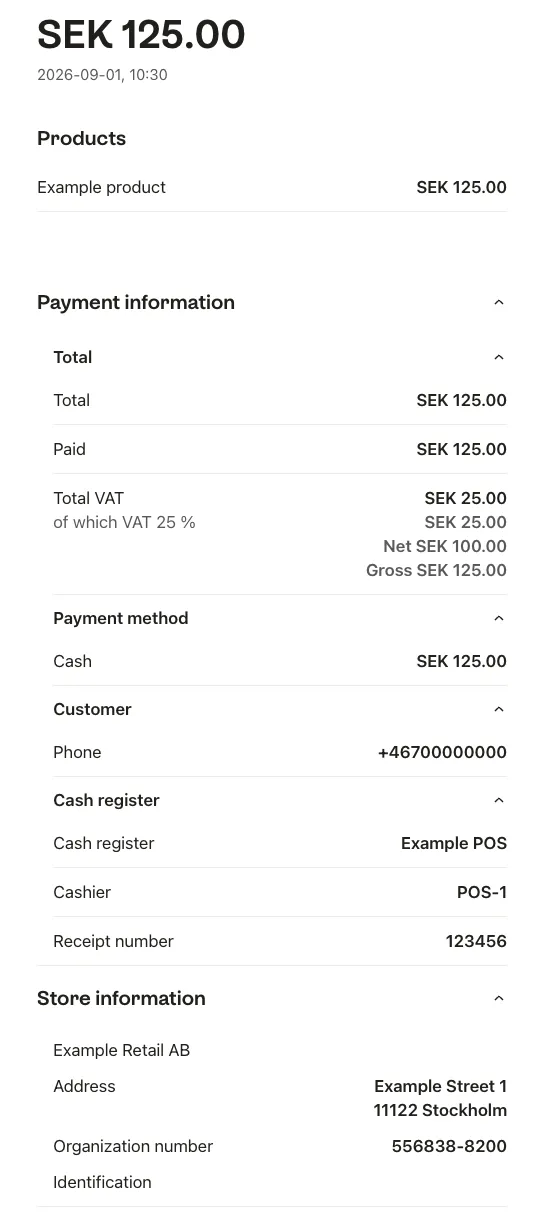
Section titled “What the recipient sees”The recipient sees the store, time of purchase, purchased items, discounts, VAT, total, and payment information. A customer identifier allows Kivra to associate that receipt with the recipient; otherwise the agreed retained or digital-waste-bin behaviour applies.
This example shows how the receipt renders on the website.
Use the complete schema and the Send receipt API reference to add the required totals and payment data.